
Take Back the Story of Your Life
Published:
In my last post, I talked about reclaiming past blog posts and consolidating them here. I used that dataset in concert with AI to generate an interesting audio podcast of my adult life. However, the dataset was incomplete.
As mentioned, I haven’t blogged consistently over the course of the last 25 years - there have been ebbs and flows. When I look at my timeline, there’s a big gap between 2010 and 2020. It was a crazy decade. Baby time, a major relocation, career building, home building, and more. Was I completely digitally silent during this period? Not at all, like almost everyone else, I shifted the digital view into my life to social media, specifically Twitter.
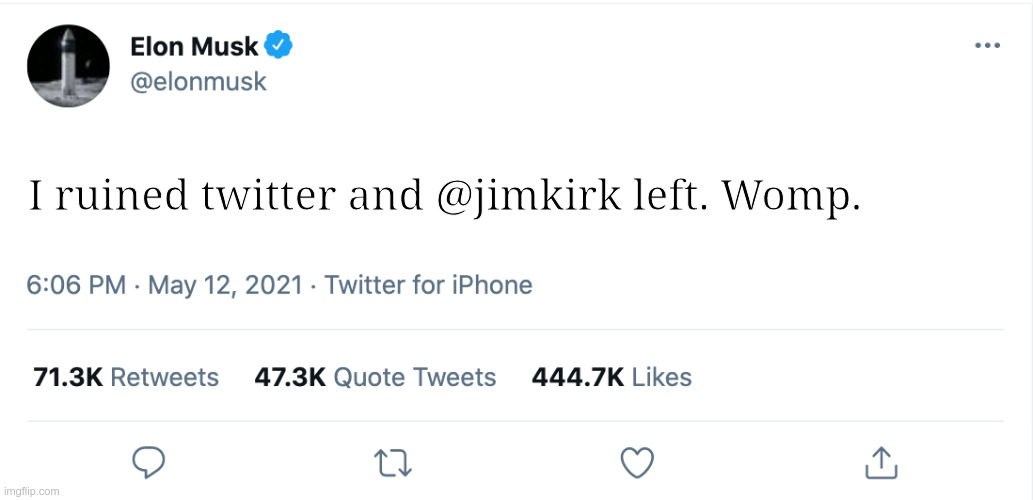
For a decade, I was pouring drips of my life into someone else’s platform. At the time, I didn’t view it as my “life story” and I wasn’t concerned about the platform going away or going to shit.
Until this happened…
Fortunately, there’s a solution to this problem. On Twitter, you can request an archive of your data. At the time of this post, if you go to “More > Settings and Privacy > Your account > Download an archive of your data”, you can initiate a process to download all of the content you’ve contributed over time. You can take your data back.
After initiating this, you’ll get an email with a link to download your archive. It gives you a zip file that contains thousands of files that won’t be helpful for most people. Not to worry, this is where we can put AI to work to help.
In my initial attempt, I used Google Gemini to ingest the “tweets.js” file located in the “data” sub-folder. I then asked it to extract all of my tweets for a particular year and to sort those tweets into a few categories and to create a markdown file that I could post here. Effectively creating an annualized archive of my tweets. Here is an example of that output.
This was fine, and technically it is what I asked for… an archive. It just didn’t feel meaningful and it offered almost no reread value. If this place is really intended to be the story of my life, the content needs to pull me back. To remember. This wasn’t content, it was just data.
After a couple of days, I came up with a better idea. I went back to NotebookLM and added jimkirk.org as a data source. I then added the annualized tweet archives that I produced above (markdown files that I had Gemini create for each year). Then I gave NotebookLM the following prompt:
Take this data and write a blog post that effectively summarizes the year 2020. It would be great if it could be written in a similar style as my other blog posts. While I don’t want the post to be too long, I do want to make sure we hit the high notes. A lot was going on with our family at that time and I’m sure I was tweeting about some interesting technology and sports topics.
I was very pleased with the end result. Here is the “Year-in-Review” blog post that it generated for 2020. Not too short, not too long, hits all the high notes, and reads like something I’d write.
Once I had the methodology and the prompt sorted out, I quickly generated these posts for much of the “lost decade” which are now available here in my archive.
With a bit of time, ingenuity, and an assist from your AI service of choice you can take back the story of your life.
